5-Minute Quick Start
This guide helps you complete the full EMCP Token flow — Register → Create API Key → Top Up → First Call — within 5 minutes.
Account Registration and Login
Registration
- Visit www.xftoken.ctclouds.com
- Click the Register button at the top-right corner
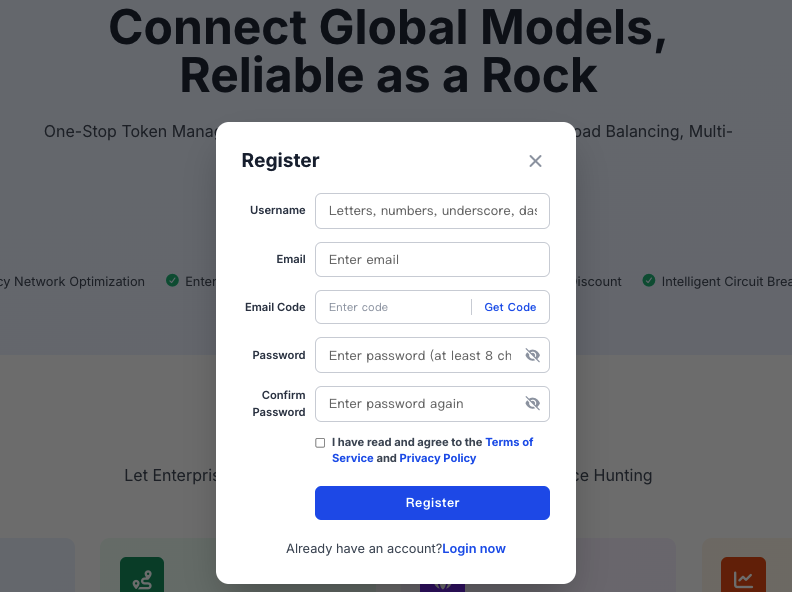
- Fill in your username, email, and password
- Click the Register button to complete registration
- Log in to your email and click the verification link to activate your account
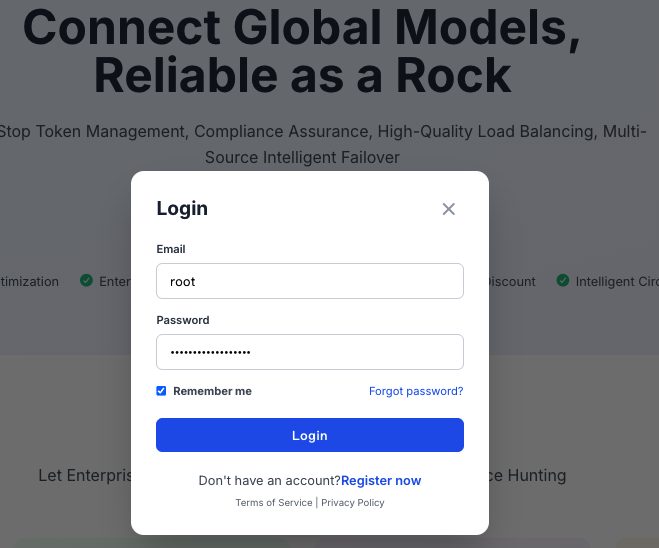
Login Methods
Log in with the email and password used during registration.
Three-Step Core Onboarding
Step 1: Create an API Key
- Log in to xftoken.ctclouds.com
- Go to the Key Management page
- Click the Create API Key button
- Fill in the key name and select an expiration time
- Click the Create button
- Copy the generated API key and store it securely.
Security Best Practices
- Rotate keys regularly: we recommend rotating keys every 3–6 months
- Principle of least privilege: grant only the minimum scope required for the actual use case
- Key isolation: use different keys for different applications or services
- Monitor anomalies: periodically review key usage and handle any anomalies promptly
Step 2: Top Up Account
- Log in to xftoken.ctclouds.com
- Go to the Top Up & Redeem page
- Enter the redemption code
- Click the Confirm Redeem button
- After a successful redemption, your balance updates automatically
Redemption Code Rules
- Code format: typically a 16–24 character combination of letters and digits
- Validity period: redemption codes have a validity period and expire afterwards
- Usage count: each redemption code can be used only once
- Redemption amount: a code maps to a fixed amount that is credited to your account balance after redemption
Checking Balance
- The console homepage shows your current balance
- The Usage Details page shows your balance change history
Step 3: First API Call
Minimal curl Example
curl https://api.xftoken.ctclouds.com/v1/chat/completions \
  -H "Content-Type: application/json" \
  -H "Authorization: Bearer YOUR_API_KEY" \
  -d '{
    "model": "claude-sonnet-4-6",
    "messages": [
      {"role": "user", "content": "Hello, EMCP Token!"}
    ]
  }'
Minimal Python Example
import requests

url = "https://api.xftoken.ctclouds.com/v1/chat/completions"
headers = {
    "Content-Type": "application/json",
    "Authorization": "Bearer YOUR_API_KEY"
}
data = {
    "model": "claude-sonnet-4-6",
    "messages": [
        {"role": "user", "content": "Hello, EMCP Token!"}
    ]
}

response = requests.post(url, headers=headers, json=data)
print(response.json())
Viewing Results
- On success, you receive JSON data containing the model response
- Call records can be viewed on the Usage Details page at xftoken.ctclouds.com
Platform Core Terminology
Tokens
Tokens are the basic units an AI model uses to process text — typically part of a word or a single character. Different models may compute Tokens slightly differently.
Input / Output Tokens
- Input Tokens: the number of Tokens contained in the text sent to the model
- Output Tokens: the number of Tokens contained in the text generated by the model
The platform counts input and output Tokens separately and bills them at their respective prices.
API Key
The API key is the identity credential for accessing EMCP Token, used to verify the user's identity. Each key has specific usage limits and security settings.
Premium Channel Integration
Premium channel integration is a core capability of EMCP Token. By curating high-quality model channels, it ensures a highly reliable, high-quality service experience for users.
Models
Models refer to AI models — language models such as GPT, Claude, and Gemini, as well as image models such as Gemini Image and GPT Image. EMCP Token aggregates mainstream models from different providers, and you can select a specific model as needed.