Platform Guide
This guide provides a detailed walkthrough of the EMCP Token platform's features and operations, helping you make full use of its capabilities.
Console Overview
The console is the hub for managing your EMCP Token account and usage, providing a comprehensive overview and quick-action entries.
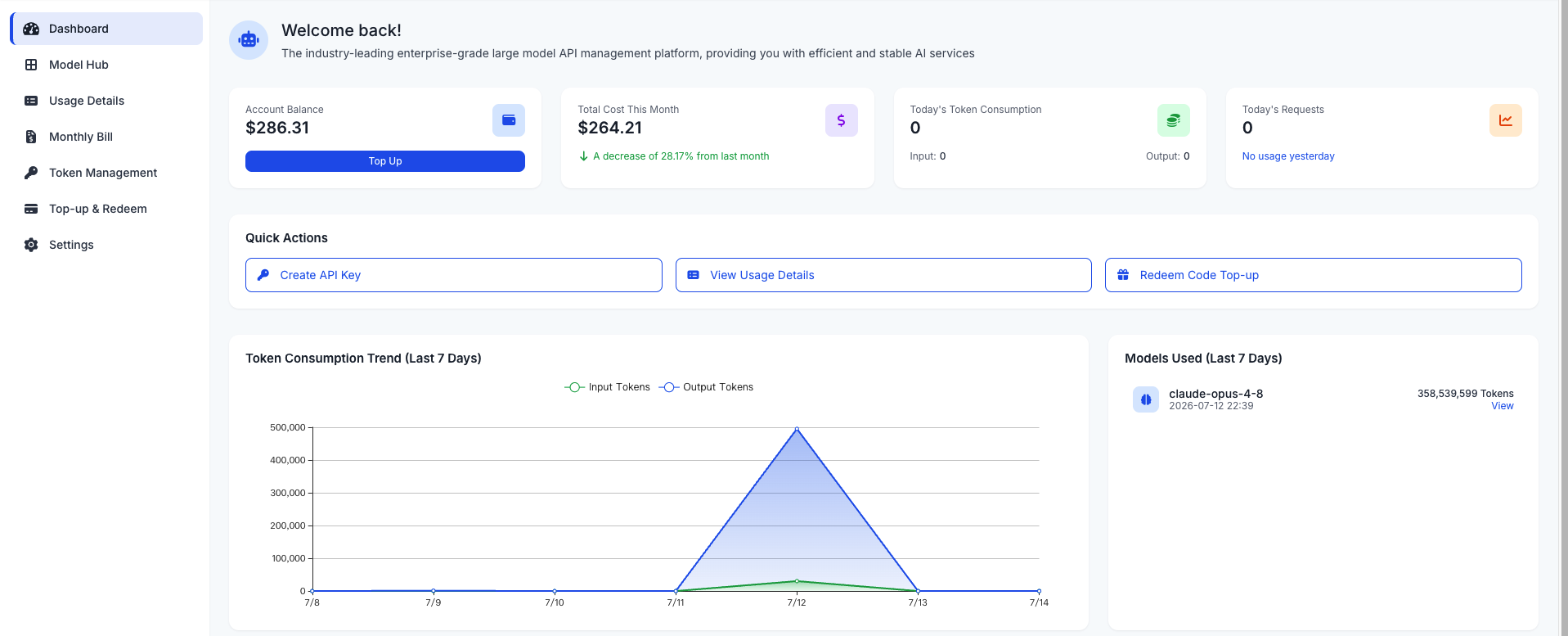
Core Data Explained
- Account Balance: shows the available balance of the current account
- Today's Token Consumption: shows today's API call consumption
- Today's Request Count: shows the total number of API calls made by the account today
- This Month's Total Cost: shows the total amount spent by the account this month
Quick-Action Entries
- Create API Key: quickly create a new API key
- Redeem Code Top-Up: quickly top up your account
- View Usage Details: view detailed API call records
Trend Chart Interpretation
- Token Consumption Trend (Last 7 Days): shows the API call consumption trend over the last 7 days
- Models Used (Last 7 Days): shows the most-used models over the last 7 days and their Token consumption
Using the Model Plaza
The Model Plaza is where you browse and manage available models; you can view model details and test model performance here.
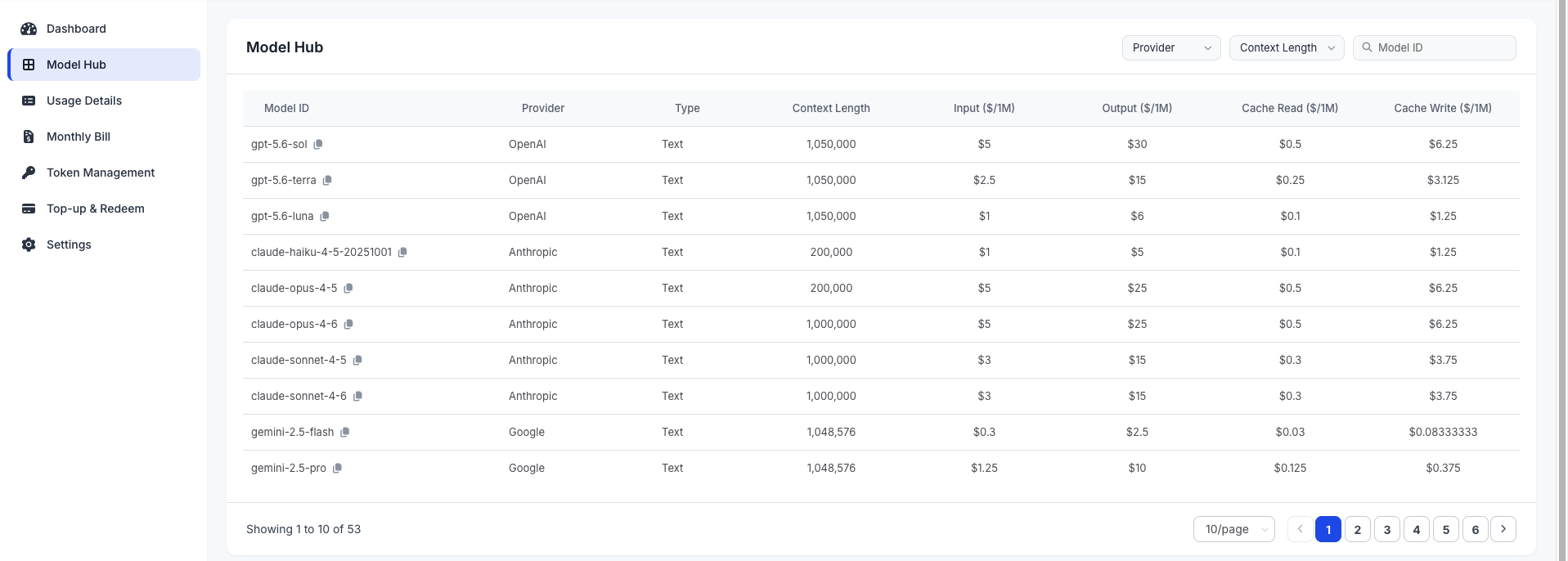
Model Filtering / Search
- Filter by provider: filter models from a specific provider
- Filter by type: filter models of a specific type (e.g., text, image, voice)
- Filter by context length: filter language models of a specific context length
- Search: search models by keyword
Model Details Explained
- Model info: basic information such as model name, vendor, type, and description
- Pricing info: shows the official input/output Token prices as well as this platform's model prices
Key Management
The Key Management page is used to create, edit, disable, and delete API keys, as well as configure key permissions and expiration times.
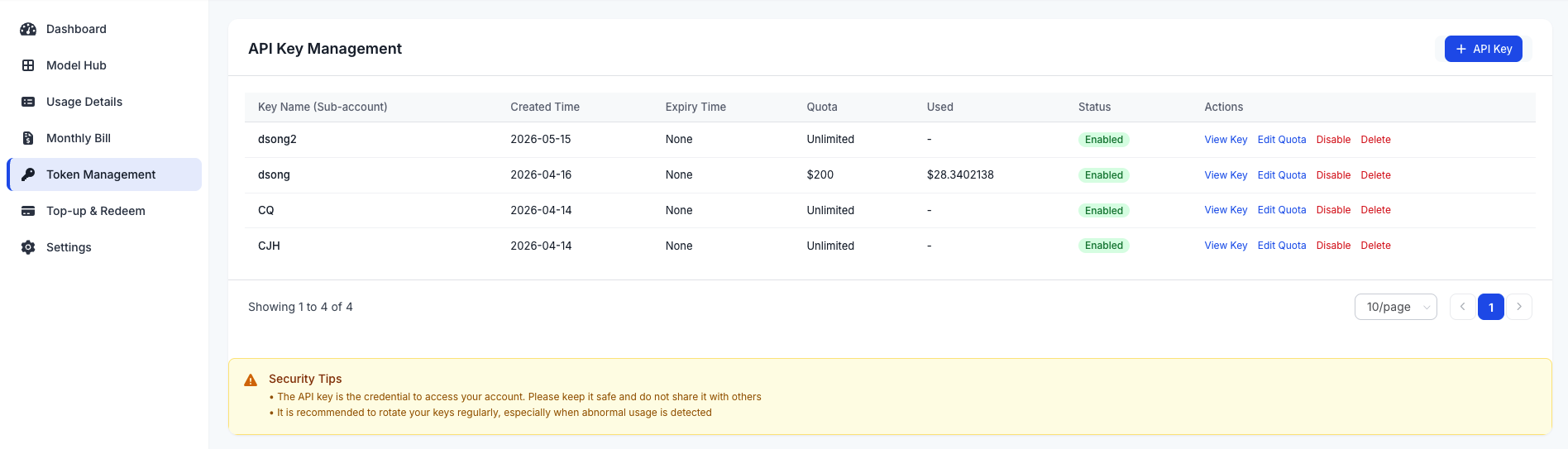
Key Creation / Editing / Disabling / Deletion
- Create key: fill in the key name, select an expiration time, and click Create
- View key: copy the generated key
- Disable key: temporarily disable a key so it cannot be used
- Delete key: permanently delete a key (cannot be recovered)
Security Best Practices
- Rotate keys regularly: we recommend rotating keys every 3–6 months
- Principle of least privilege: grant only the minimum scope required for the actual use case
- Key isolation: use different keys for different applications or services
- Monitor anomalies: periodically review key usage and handle any anomalies promptly
Top Up and Redeem
The Top Up and Redeem page is used to add funds to your account and redeem codes.
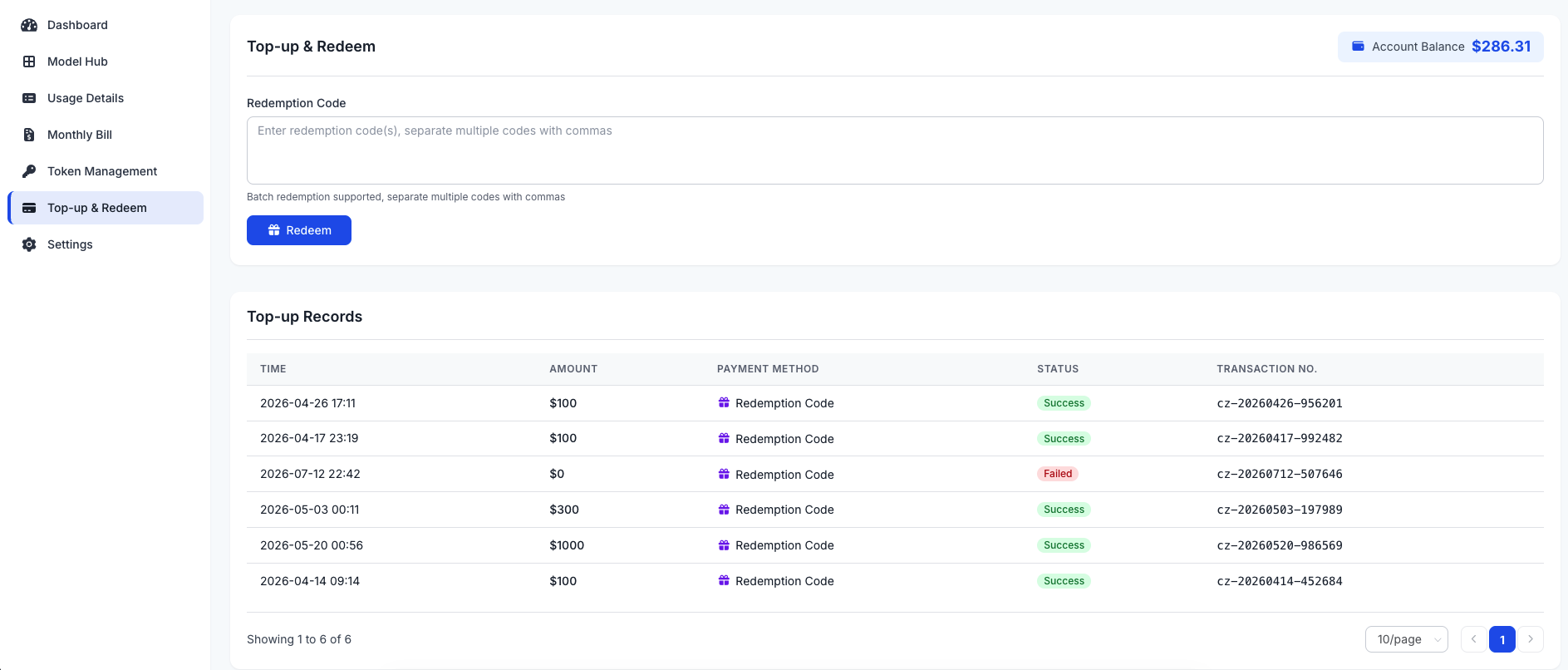
Redemption Code Rules
- Code format: typically a 16–24 character combination of letters and digits
- Validity period: redemption codes have a validity period and expire afterwards
- Usage count: each redemption code can be used only once
- Redemption amount: a code maps to a fixed amount that is credited to your account balance after redemption
Viewing Top-Up Records
View all top-up records, including top-up time, amount, and payment method.
Querying Usage Details
The Usage Details page is used to view detailed API call records and consumption.
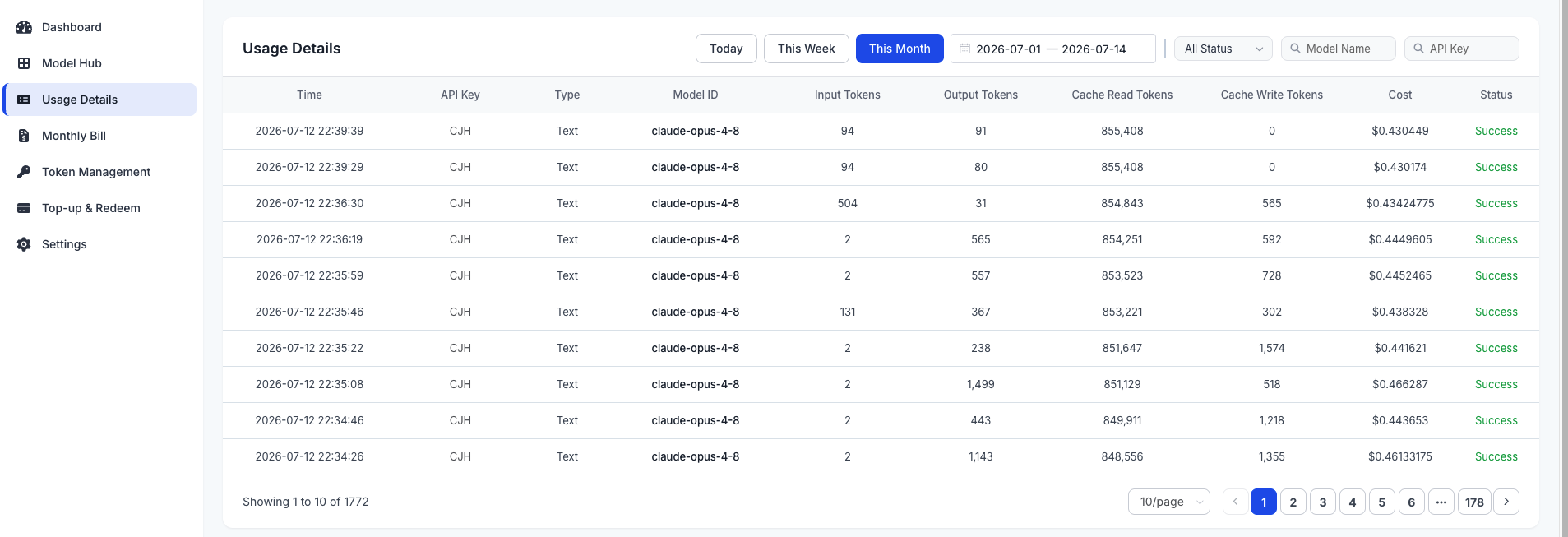
Field Explanations
- Time: the time of the API call
- Type: the type of model called
- Model Name: the platform model name called
- Tokens Consumed: the number of Tokens consumed by the call, including input, output, and total Tokens
- Cost: the amount consumed by the call
- Status: the status of the call (success, failure, etc.)
Account and Security Settings
The Account and Security Settings page is used to manage account information and security settings.
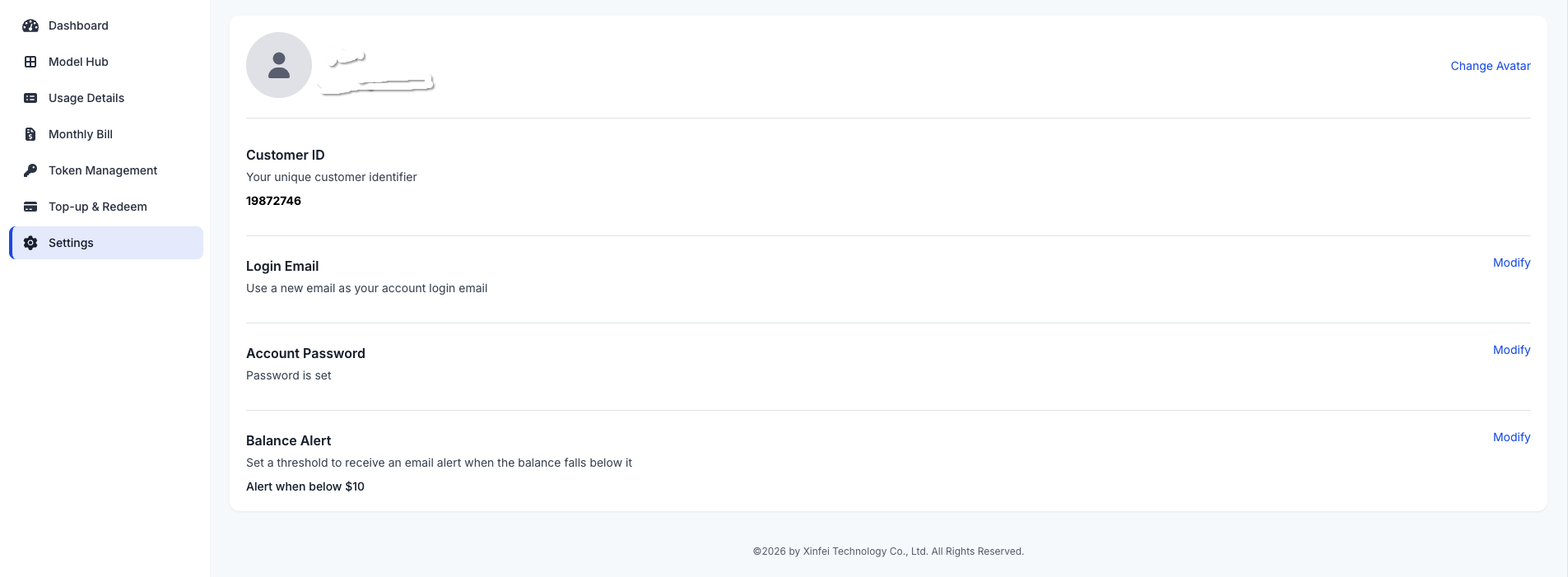
Personal Information Editing
- Change avatar: modify the avatar shown on login
- Email: modify the account email (requires verification)
- Change password: modify the account password
- Balance alert: set a balance alert threshold; you receive an email alert when the balance falls below it